Creating Custom Map Quizzes
You can easily create custom map quizzes that include only a subset of the questions from an existing quiz. A custom quiz can also be configured to start in a specific game mode. Just follow the instructions below:
- Select the game mode “Custom” from the game mode list below the map.
- Click all the areas you want to include in the new quiz.
- Click the “Create Link” button, and a dialog box will appear:
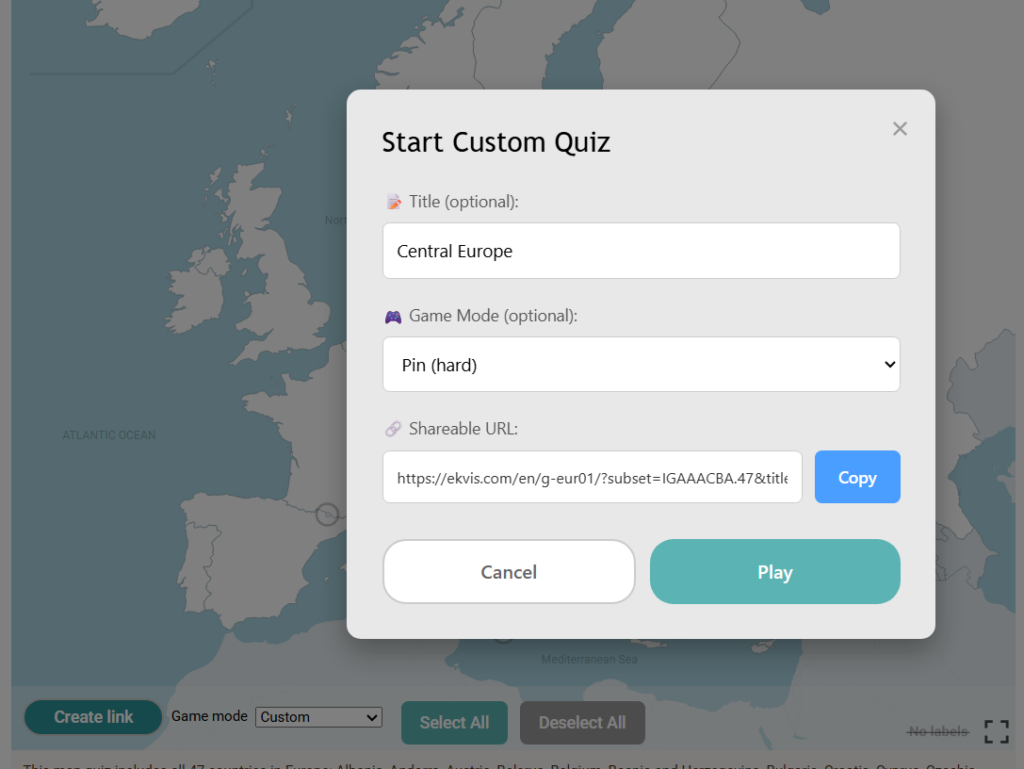
The generated link is shareable, so you can send it to your friends or students, and they will get the exact same map quiz.
You don’t need to log in to create a custom quiz—and it’s completely free!
 US: 50 States
 South America: Countries
 Europe: Countries
 World: Continents
 Turkey: Provinces
 Europe: Capitals
 South East Asia: Countries
 Japan: Prefectures
 Australia: States and Territories
 Germany: States
 Finland: Regions
 World: 30 Largest Countries By Population
 Asia: Countries
 US: States East Of The Mississippi River
 World: The 20 Largest Islands
 Memorize the US States
From The Geopolitics Blog
Popular Map Quizzes
New: Creating Custom Map Quizzes Map Quiz Tips & Tricks Memorizing The US States Fast Possible Geopolitical Changes In 2026 Recently Changed FlagsRecently Changed US State Flags Massachusetts Is Choosing a New Flag OpenStreetMap: The Free, Editable Map of the World
Popular Map Quizzes